Contents
Control Device Configuration enables the setup and configuration of EMS Services and Hardware Devices.
| Warning: | Changing Control Device Configuration settings will impact on System function, please proceed with caution. If in doubt, please contact your local Supplier or Hanwell Support. |
Accessing Control Device Configuration Settings
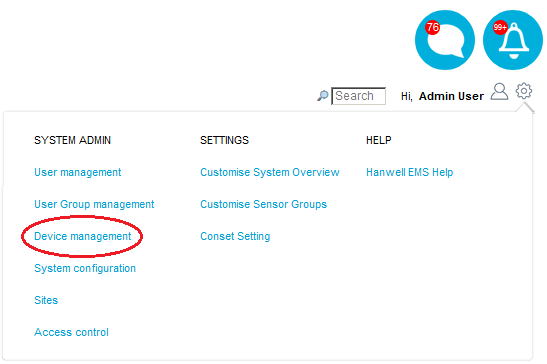
Select Device management from the SYSTEM ADMIN list in the System drop-down menu. See Figure 577 below:
Figure 577
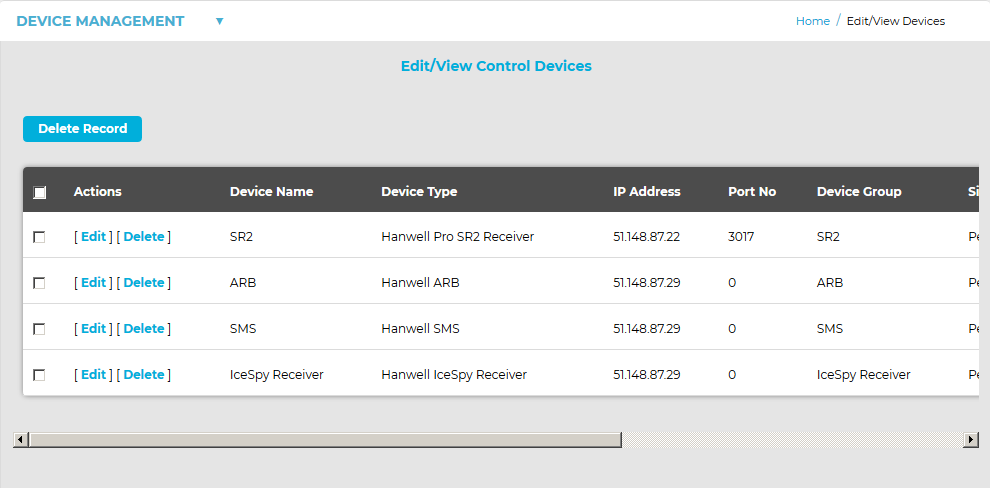
•The Edit/View Control Devices window is displayed. See Figure 578 below:
Figure 578
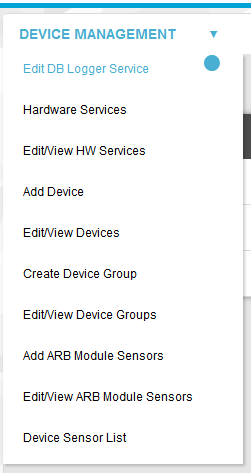
•From the DEVICE MANAGEMENT drop-down menu (See Figure 579 below) you can access the following Control Device Configuration functions:
➢Edit/View Control Device Groups
Figure 579