Navigation:
System Configuration Admin >> System Configuration - Automated Alarm Functions
System Configuration - Automated Alarm Functions

Contents
This Section describes the configuration of the email and SMS settings required for Automated Alarm functions.
To access the necessary System Configuration tools:
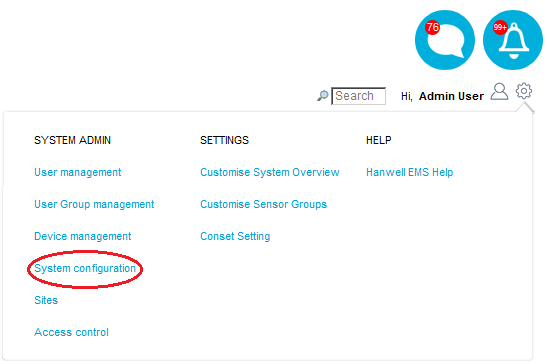
1.From within the System menu, select System configuration from the SYSTEM ADMIN list. See Figure 421 below:
Figure 421
•By default, the Email Alert Global Settings window is displayed. See Figure 422 below:
Figure 422
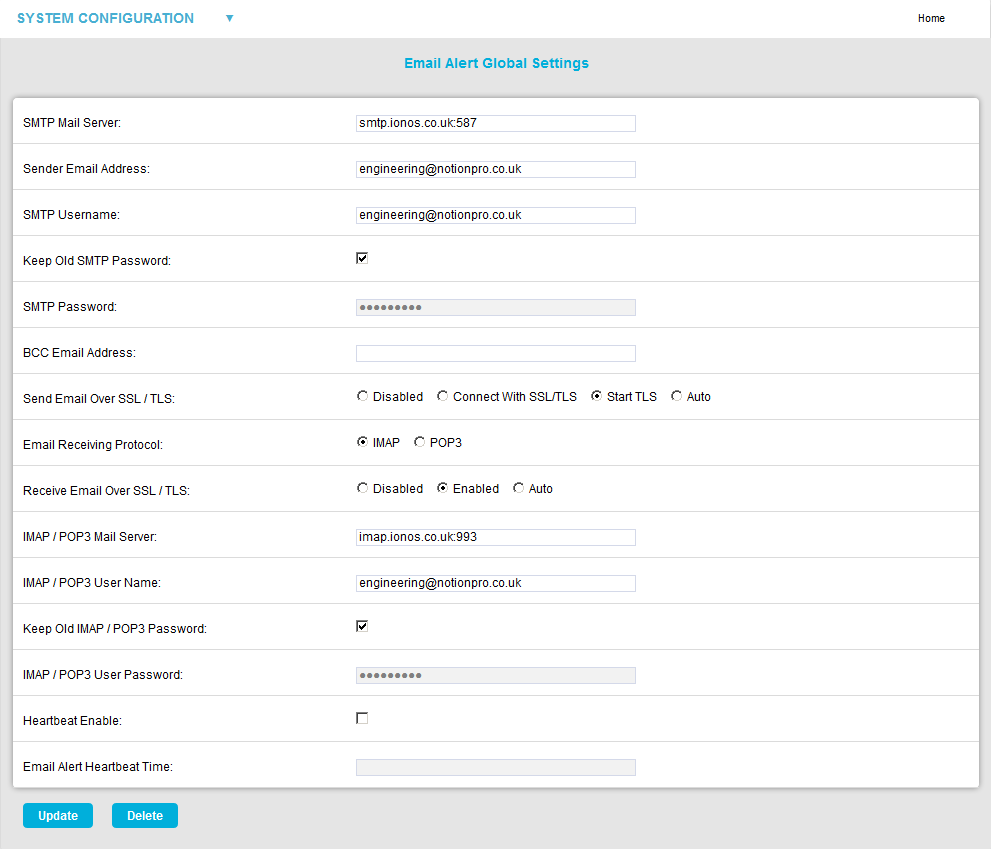
| Note: | If Email Alert Global Settings are being defined for the first time, a Save button will be displayed at the bottom of the window, rather than Update and Delete buttons. |
2.Select the required Settings/Feature Group from the SYSTEM CONFIGURATION drop-down list. See Figure 423 below:
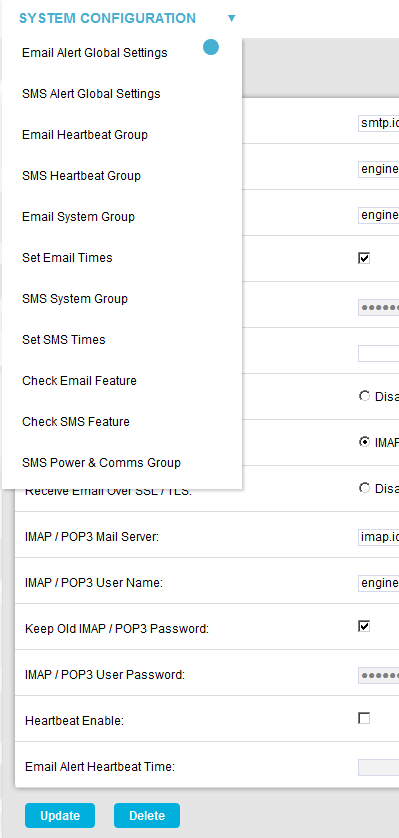
•The SYSTEM CONFIGURATION drop-down list's entries are detailed via the following links:
➢Email Alert Global Setings (Default window)